Installing llea.ai on Shopify
A walkthrough for finding, installing, and activating the llea.ai Customer Intelligence app on your Shopify store, from finding us in the App Store through the start of the 30-day trial.
Before you start
You'll need store owner (or admin) access to your own Shopify store to install apps and approve billing. Everything below happens in your store's admin atadmin.shopify.com.Install llea.ai
- 01
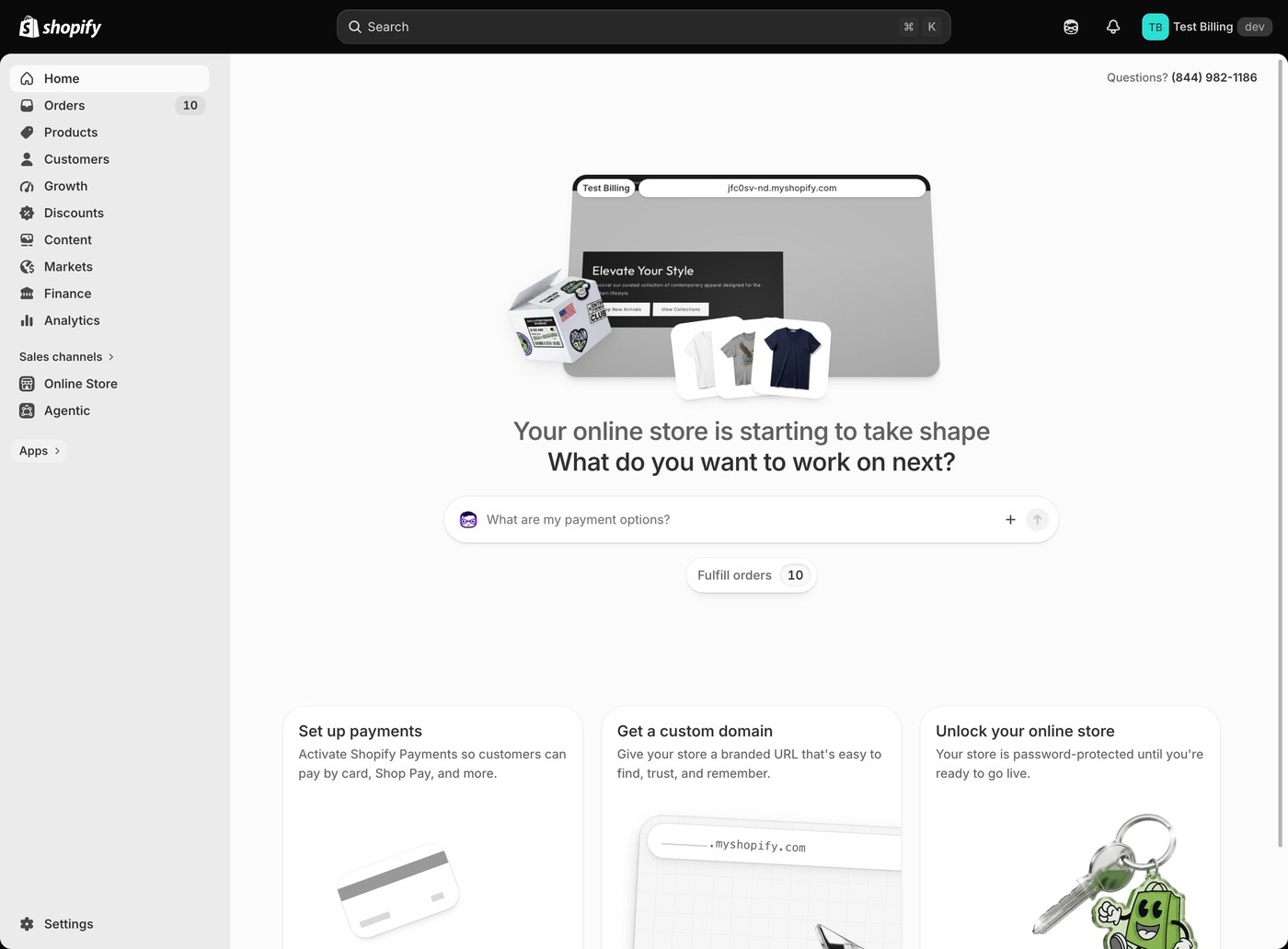
Open your store's Shopify admin
admin.shopify.comSign in to your own Shopify store's admin. This is the home screen you'll return to for every step below.
- 02
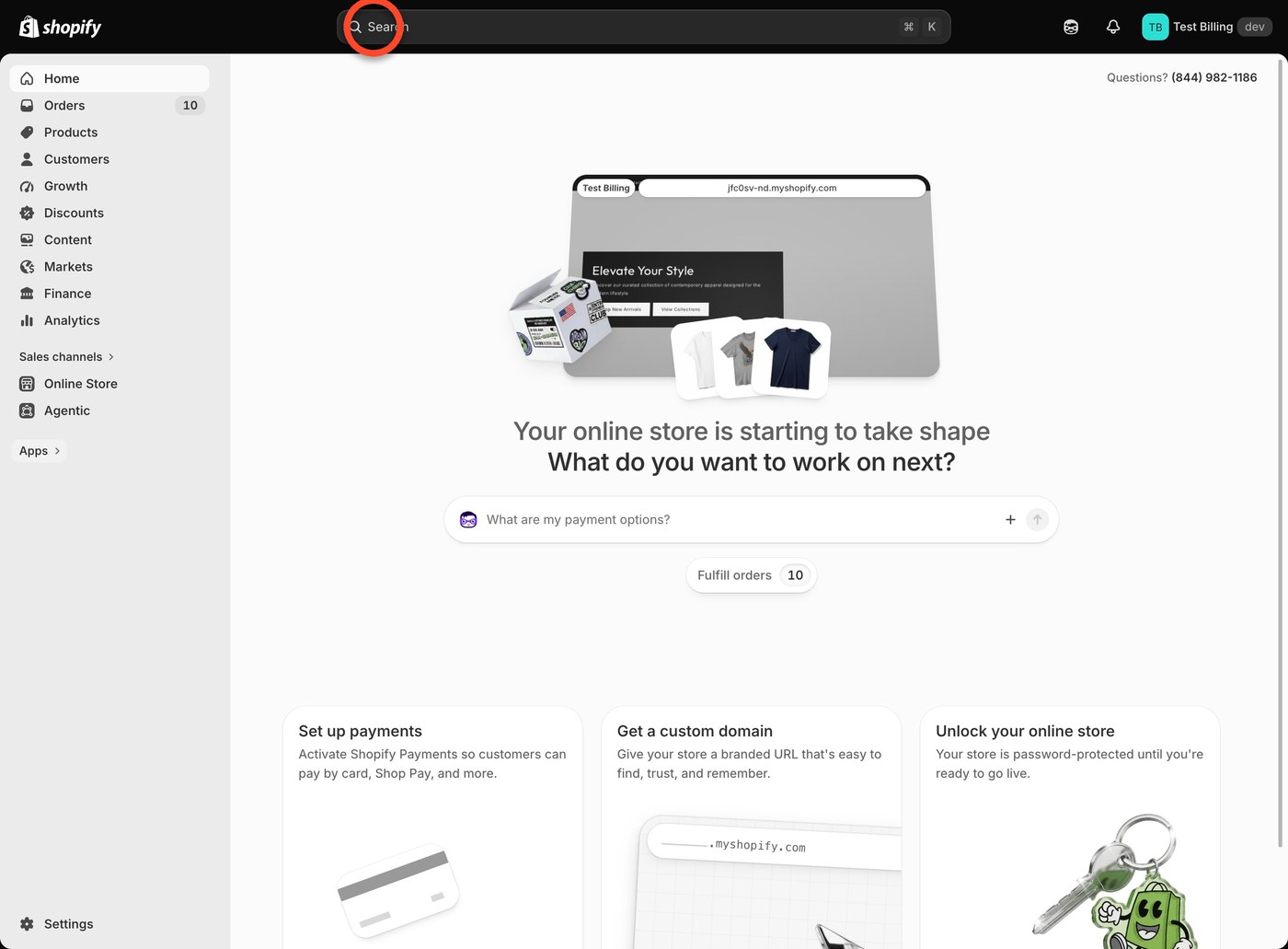
Search for llea.ai
In your admin, click the search bar at the top (or open Apps in the sidebar). It's the quickest way to reach an app you haven't installed yet.
- 03
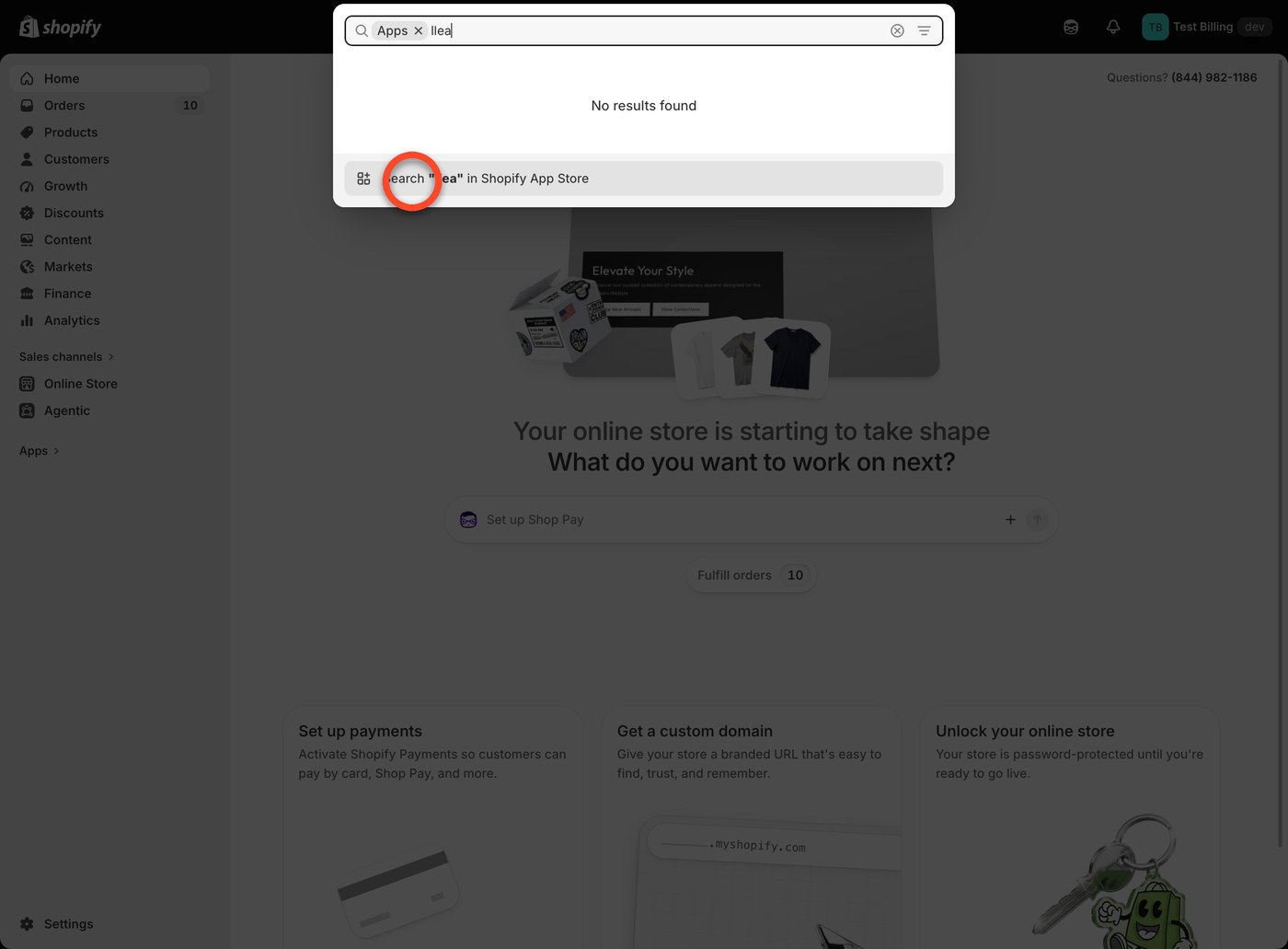
Type "llea"
Type llea into the search field. It won't match anything installed yet (that's expected), so Shopify offers to search the App Store.
- 04
Click "Search ‘llea’ in Shopify App Store"
The search falls through to the Shopify App Store, which is where the actual listing lives.
- 05
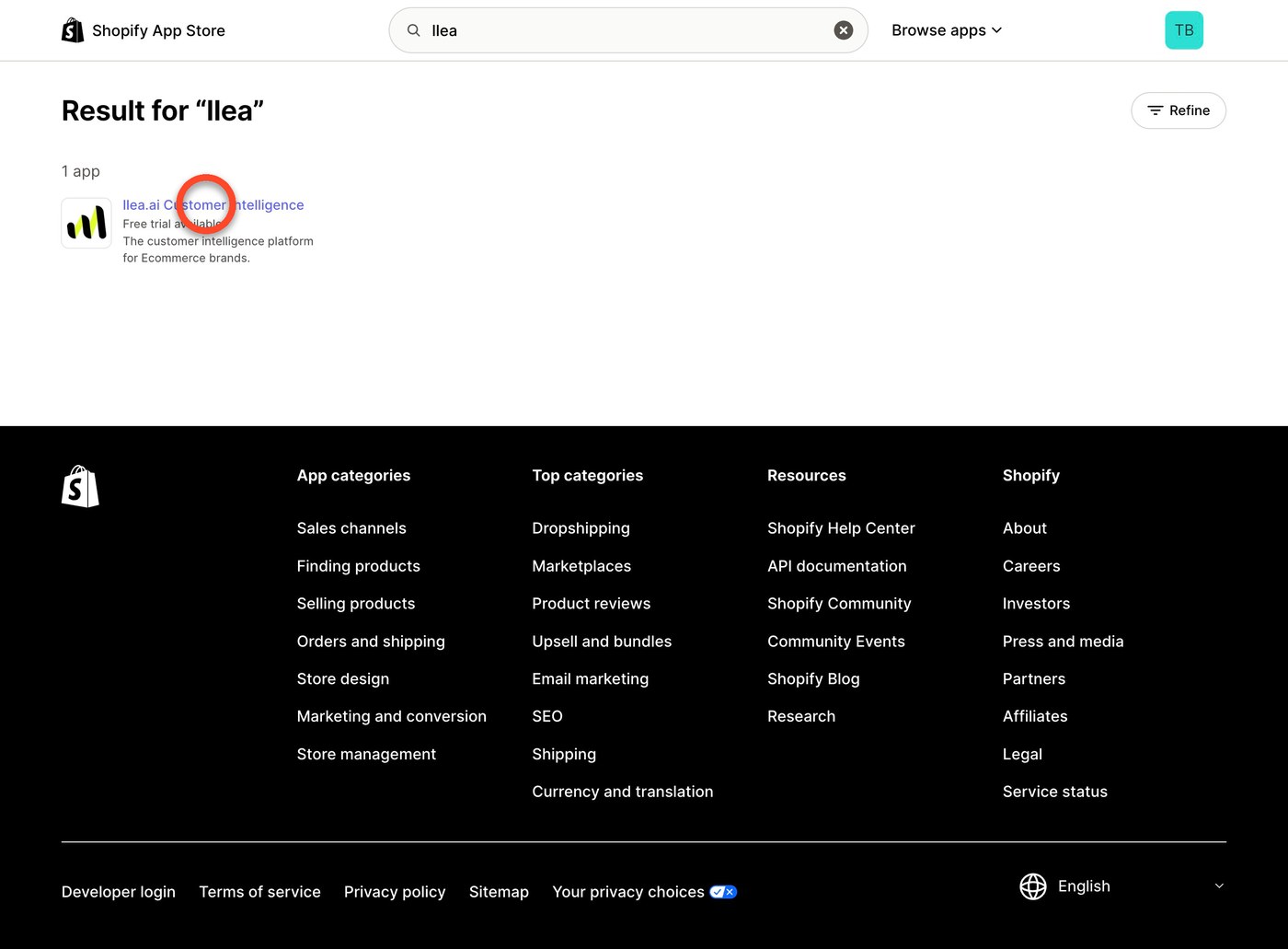
Click "llea.ai Customer Intelligence"
That's us: the customer intelligence platform for Shopify brands, with a free trial available.
- 06
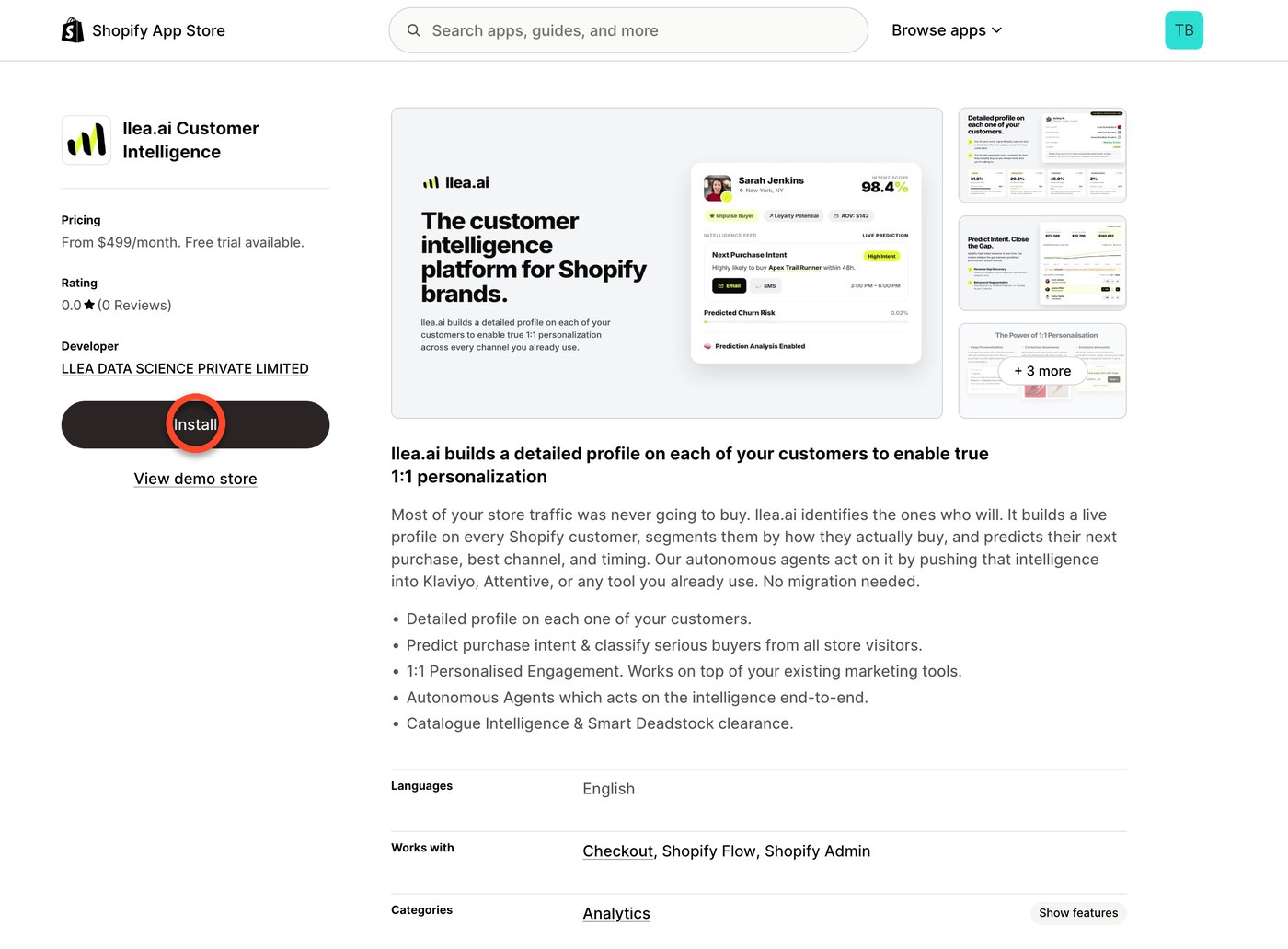
Click "Install"
On the listing page: from $499/month, free trial available, built by LLEA Data Science Private Limited. Review the description, then install.
- 07
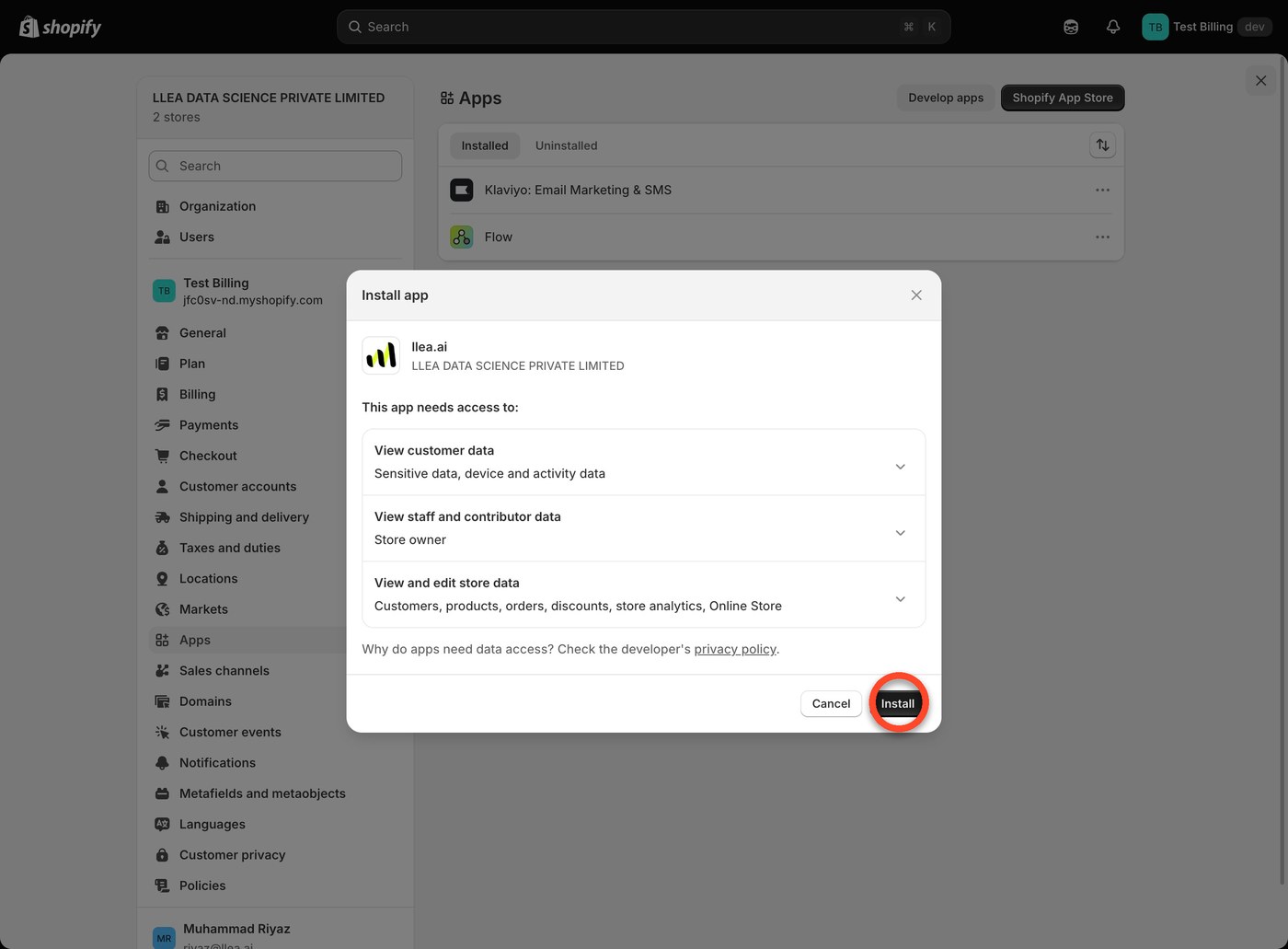
Click "Install" to confirm access
Shopify asks for confirmation before granting data access: customer data (including sensitive and device data), staff and contributor data, and store data (customers, products, orders, discounts, and analytics).
- 08
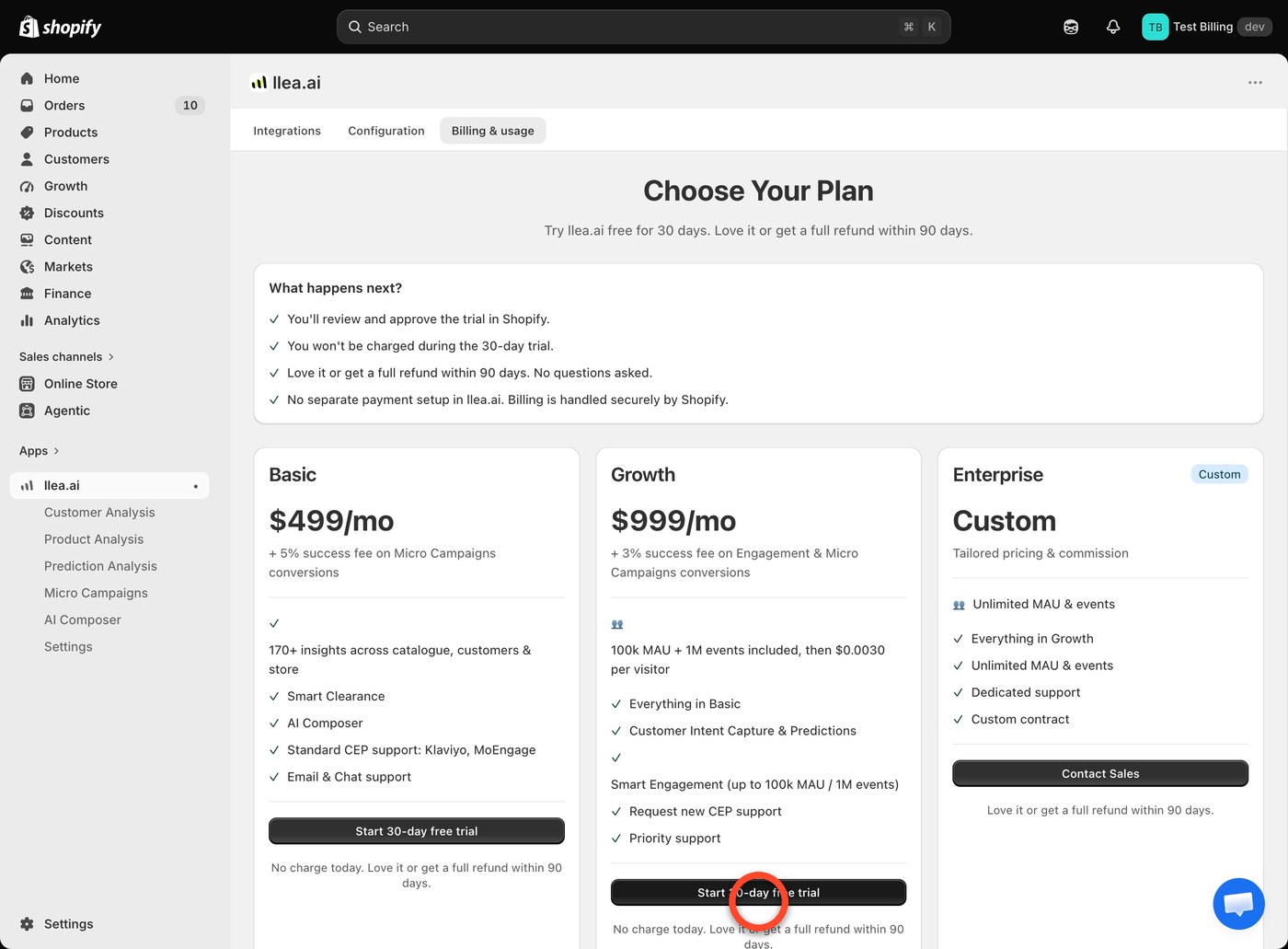
Click "Start 30-day free trial"
Pick a plan (Basic $499/mo, Growth $999/mo, or Enterprise custom pricing), then start the trial. No charge today; full refund within 90 days if it's not a fit.
- 09
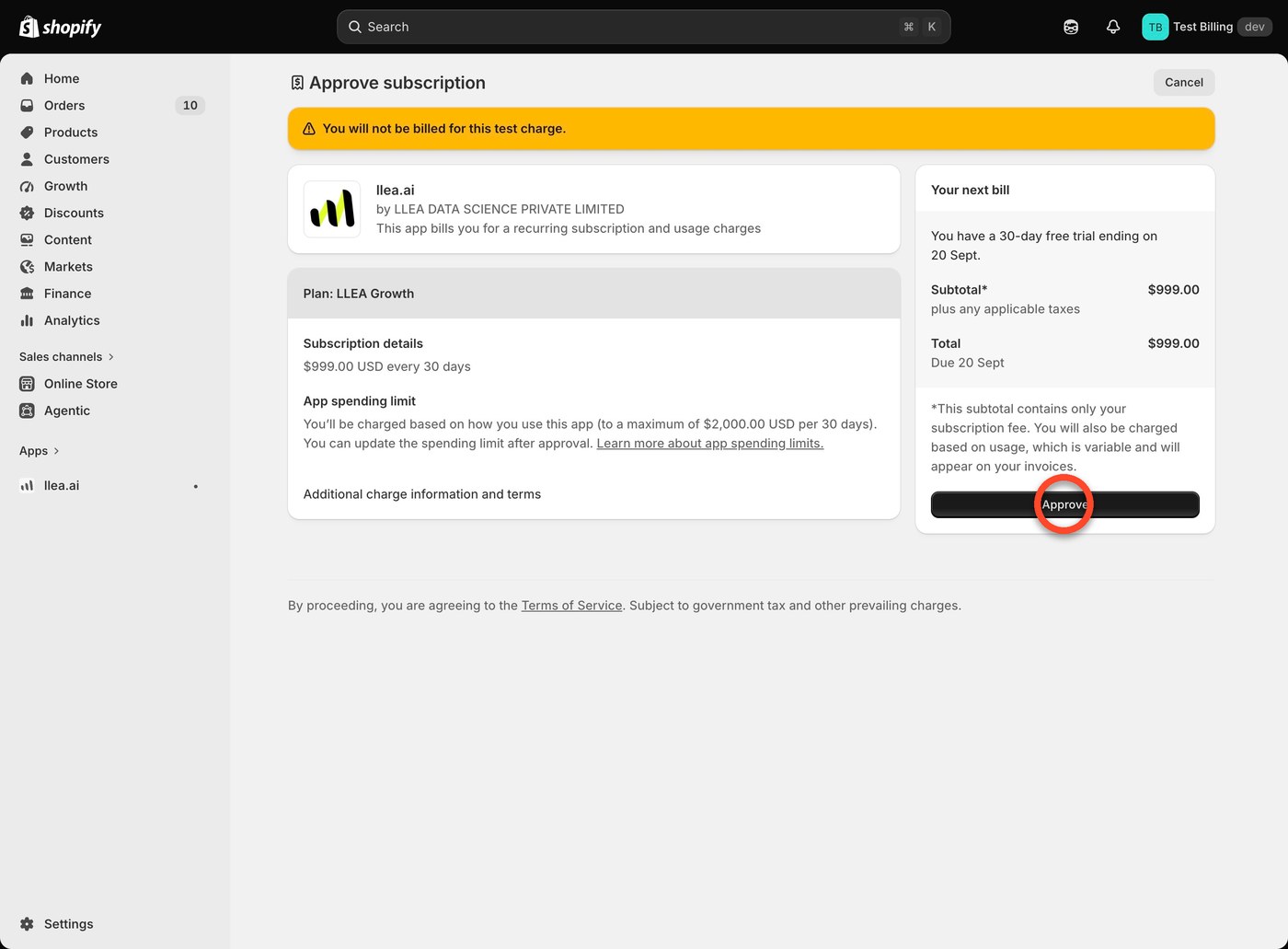
Click "Approve"
Shopify shows the recurring subscription and usage charges before billing begins. Confirm here to approve them. Nothing is charged during the 30-day trial.
- 10
You're all set
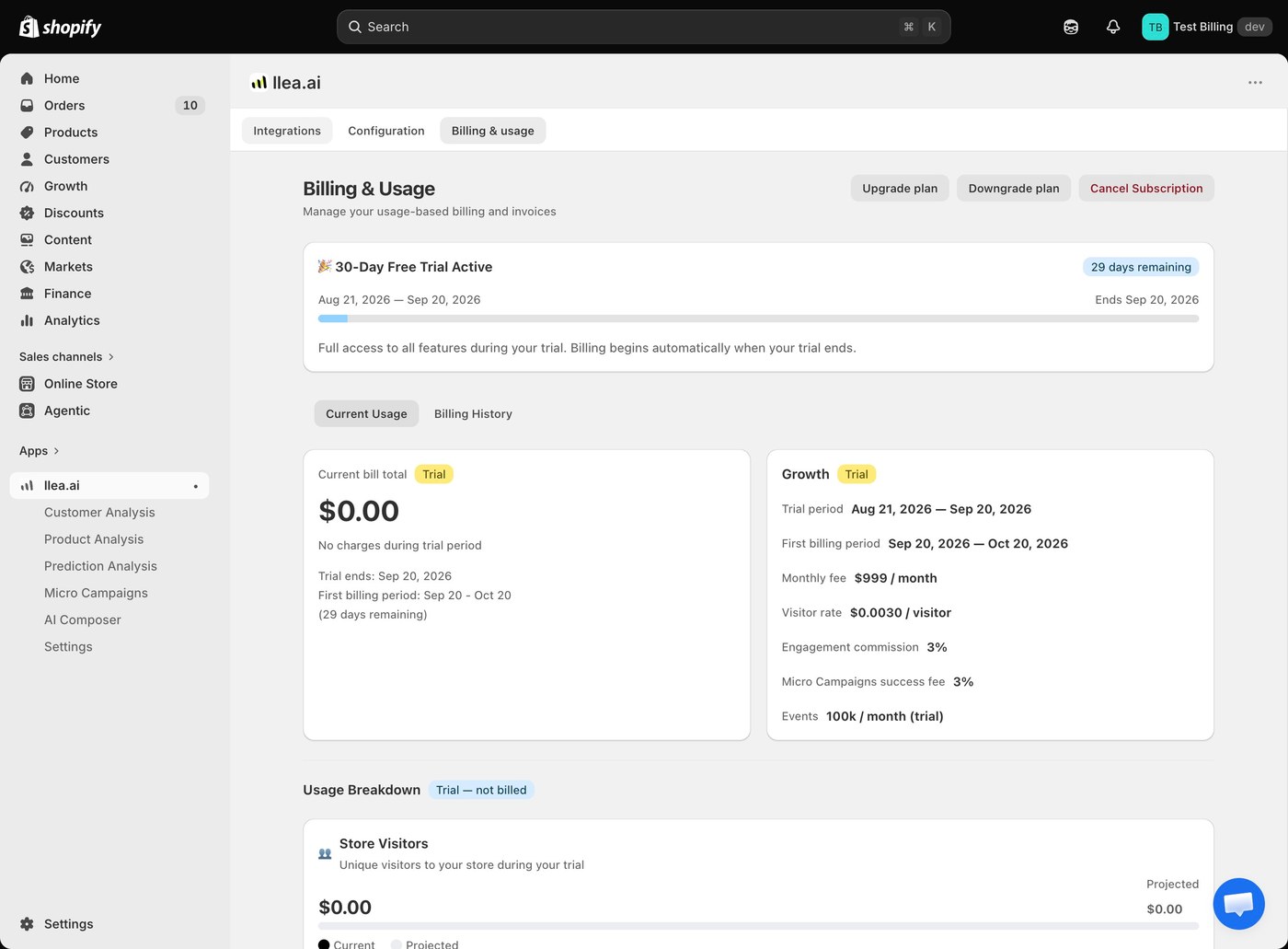
llea.ai is installed with your 30-day free trial active, with no charges until the trial ends. Billing then continues automatically at the plan rate you picked.


What happens next
Once you land on the Integrations tab, llea.ai is live with Shopify Flow as its default routing destination. From there you can connect Klaviyo, MoEngage, and other marketing platforms. That hand-off is covered in Integrations Setup.